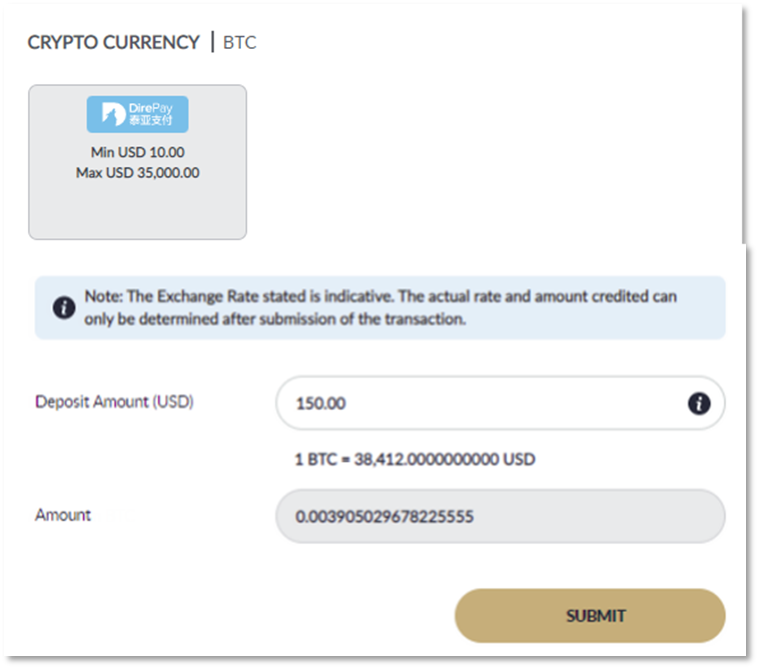
Choose Direpay, and input deposit amount and click SUBMIT Note: The exchange rate stated is indicative. The actual rate and amount credited can only be determined after submission of the transaction.
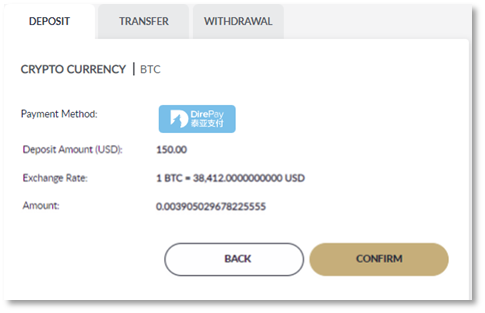
Click Confirm to be redirected to crypto transaction page or click Back to change your deposit amount (Make sure to enable pop – up window) Note: The exchange rate stated is indicative. The actual rate and amount credited can only be determined after submission of the transaction
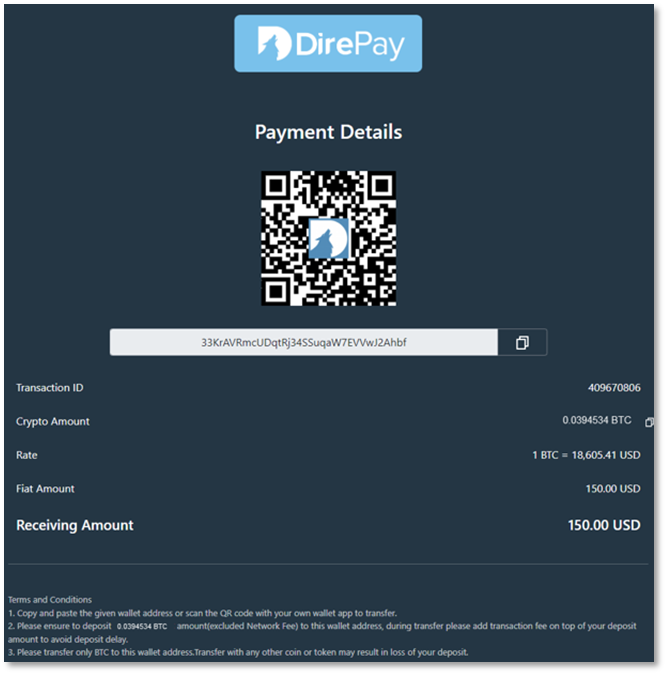
You will be redirected to Crypto currency page. This page will show you the Address and Crypto amount (BTC) that you need to transfer excluding transaction fee (gas fee or miners fee). Note: The exchange rate stated is indicative. The actual rate and amount credited can only be determined after submission of the transaction.
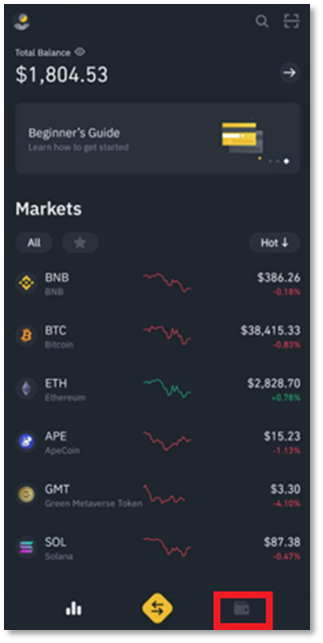
Open and login into your Crypto platform. Steps to do Crypto currency transfer varies depending on the platform you are using. In this example, we will use “Binance”
Click on Wallet Icon at the bottom
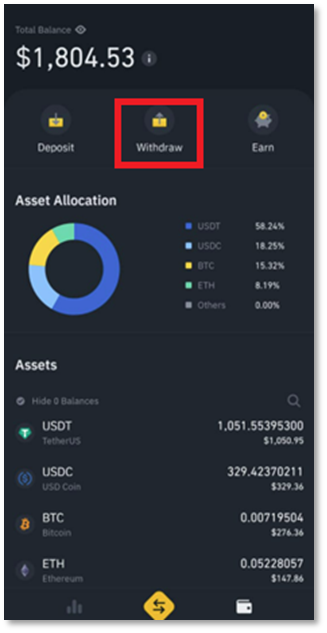
Click on Withdraw.
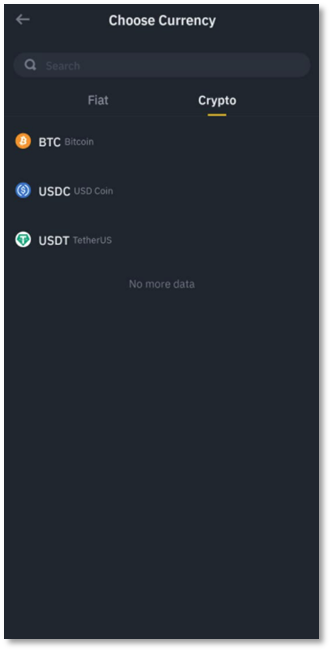
On Crypto tab, search or select Bitcoin (BTC)
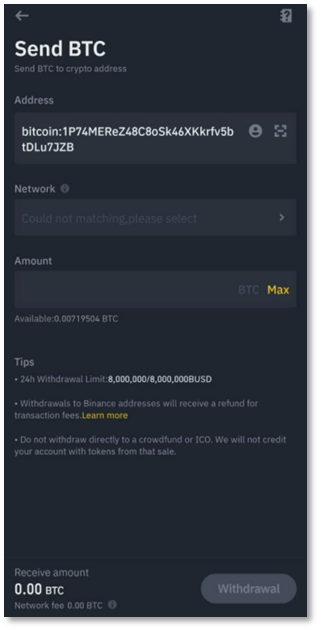
Input Address by copy and paste or scan the QR code earlier from step 4. Note: For certain platform, kindly manually delete the remarks "bitcoin:" from address that shown after scan the barcode
For BTC the Network will be automatically shown once Input the correct Address
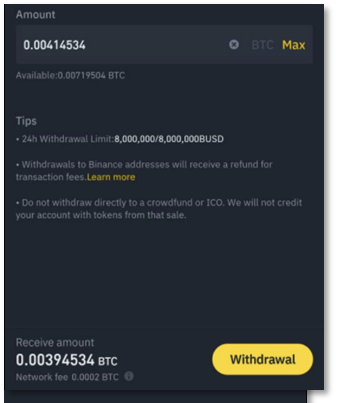
Input Total amount to transfer and click Withdraw.
Total amount to transfer = Actual amount to transfer in step 4 + Transaction Fee
Transaction fee varies depending on the network congestion, platform, actual amount, or current, exchange rate.
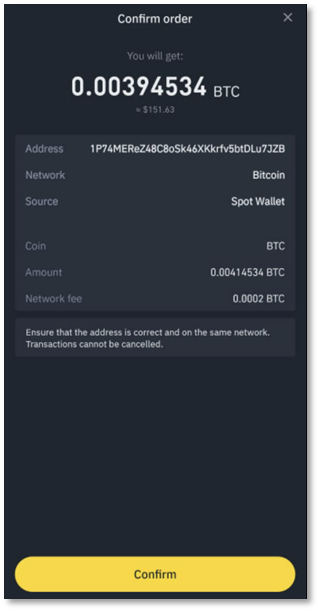
In this example, 0.00394534 is actual amount to transfer and 0.0002 is the transfer fee. Total amount to transfer is 0.00414534. Please note that M88 will only credit based on the actual amount that we received.
Click Confirm to verify submission.
Click Send Code to receive the 6 digits OTP and submit to complete the transaction
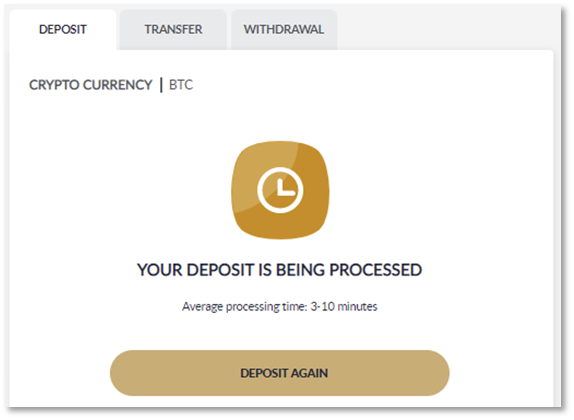
Deposit will be processed within 3 – 10 minutes upon receiving your transactions.
Amount will be credited and shows on My Recent Transactions